Chromebook Games
Best Games for Chromebook
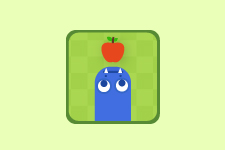


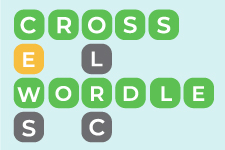
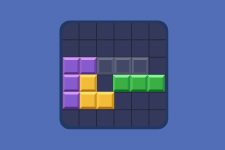
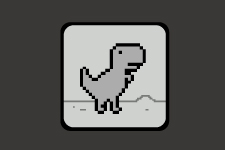







Free Chromebook Games
The best Chromebook games for a short break are easy to pick up and finish in a few minutes. A word puzzle works well between classes because you can play at your own pace. Type a guess, check the clues, and use what you learn to narrow down the answer. For a faster round, try an arcade game where each jump or turn depends on your timing.
When choosing a game to play on a Chromebook, consider the controls. Word games make good use of the built-in keyboard, while number and tile puzzles are easy to play with a trackpad. If you prefer to keep your hands on the keyboard, look for games that use the arrow keys to move or the space bar to jump.
Many free online games for Chromebooks use HTML5 and open directly in Chrome, so you can start playing without downloading an app or installing a plugin.
Games to Play on Chromebook
Chromebooks are widely used in schools, and browser games can be a convenient option during lunch, free periods, or teacher-approved activities.
Our collection includes educational puzzles and casual entertainment. Word and number games involve spelling, vocabulary, and problem-solving, while memory and reaction challenges offer different ways to test your skills.
If you're looking for Chromebook unblocked games, keep in mind that access depends on your school's network settings. Some gaming websites may be restricted, so always follow your school's rules.
Word and Logic Puzzles for School Breaks
Word games are a good choice if you enjoy solving clues, finding hidden words, or building words from letters. They offer challenges involving spelling, vocabulary, and pattern recognition.
Number and logic puzzles involve arranging tiles, completing grids, and planning moves. Some have clear solutions, while others let you continue playing to improve your score.
These games are suitable for individual play and often let you work at your own pace.
Arcade Games and Chromebook mini games
Classic arcade games offer simple objectives and familiar controls. Many involve avoiding obstacles, collecting items, matching colors, or reacting at the right moment.
For shorter sessions, Chromebook mini games and reaction tests offer quick rounds with immediate results. Other arcade challenges gradually increase in difficulty, giving you the option to keep playing.
Whether you prefer fast-paced action or casual puzzles, the collection includes games for different playing styles.
How to Play Games in Chrome Browser
Playing online is straightforward. Open a game page in Chrome and wait for it to load. Most games start with a click, tap, or keypress.
You don't need to install anything from the Google Play Store or create an account. Depending on the game, you can use a keyboard, trackpad, mouse, or touchscreen.
An internet connection is generally required to load the games, and performance may vary depending on your device and browser version.
How to Choose HTML5 games
The best choice depends on your interests, available time, and preferred type of challenge.
If you enjoy working through problems, word and logic puzzles offer opportunities to think carefully and plan your moves. Memory games are another option when you want to test your recall and attention.
For quick sessions, arcade and reaction games provide simple controls and immediate challenges. If you have more time, try a puzzle with multiple levels or a game where you can work toward a higher score.
Frequently Asked Questions
What games work on Chromebook?
Many browser-based games work on Chromebooks, including word puzzles, number challenges, memory tests, and arcade games. Compatibility depends on the individual game and browser settings.
Are these Chromebook games free?
Yes. The games in this PushToLearn collection are free to play online without downloading additional software.
Can I play games on a school Chromebook?
Yes, if the website is accessible and gaming is allowed by your school. Some schools restrict access to gaming websites or specific browser features.
Do I need to download games from the Google Play Store?
No. These are Chrome browser games, so you can play directly on the website without installing apps.
Can I use a keyboard or touchscreen?
Many games support keyboard, mouse, or trackpad controls. Some also work with touchscreens on compatible Chromebook models.
Play Free Chromebook Games Online
Our collection includes word puzzles, logic challenges, memory tests, and classic arcade favorites for different interests and skill levels.
Choose a game, open it in Chrome, and start playing for free without downloads or installations.