One Button Games
Best One Button Games









One Click Games to Play with a Mouse
Mouse click games are particularly convenient for playing on desktop computers and laptops. You don't need to memorize keyboard shortcuts or use multiple controls at once.
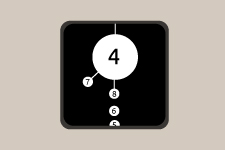
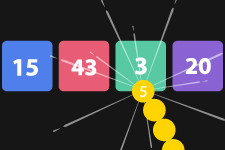
In Coreball, each click launches a ball toward a rotating center. You need to find the right moment to shoot without hitting balls that are already attached.
Stack Game uses a similar single-action mechanic. Click when a moving block aligns with the tower below it. Accurate placement helps you maintain the width of the blocks and continue building.
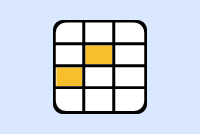
In Reaction Time, the objective is to click as quickly as possible when the visual signal changes.
These one click games combine straightforward controls with challenges that require precision and concentration.
One Key Games and Spacebar Challenges
Some browser games can be played primarily with a single keyboard key. The spacebar is a common choice because it is easy to reach and comfortable to use repeatedly.
Dinosaur Game is a familiar example. Press the spacebar to start running and jump over approaching cacti. As the dinosaur gains speed, you have less time to react. Additional controls may be available for avoiding certain obstacles.
Spacebar games are particularly suitable for players who prefer keyboard controls to using a mouse. Their simple mechanics make it easy to start a new round and try to improve your performance.
One Tap Games for Mobile Devices
Single-button gameplay works well on touchscreen devices because it doesn't require an on-screen keyboard or multiple virtual buttons.
In compatible mobile versions of Coreball and Stack Game, a single tap performs the main action. The same basic mechanics apply whether you are playing with a mouse or touching the screen.
One tap games are convenient for playing on smartphones and tablets during short breaks. You can focus on the game itself without covering much of the screen with your fingers.
One Button Arcade Games: Simple Controls, Challenging Gameplay
Having only one main control doesn't necessarily make a game easy. Many single button games become increasingly demanding as the speed changes, obstacles appear more frequently, or the margin for error becomes smaller.
Timing games require you to anticipate movement and act at the right moment. Reaction-based challenges test how quickly you respond to a visual signal, while endless arcade games reward consistency over longer periods.
A well-timed click can make the difference between continuing a round and starting over. Improving your score often depends on learning movement patterns and avoiding unnecessary actions.
Easy Control Games for Short Breaks
Games with simple controls are a practical choice when you have only a few minutes to play. There is little to learn before starting, and many rounds can be completed quickly.
A reaction test might take only a few seconds per attempt, while an arcade challenge can last several minutes, depending on your performance. Fast restarts let you make another attempt without going through a lengthy setup.
These games are suitable for casual players, beginners, and anyone who prefers straightforward gameplay over complicated control systems.
How to Get Better at Single Button Games
Success in one button games often depends on patience and observation. Pressing a button too early can be just as costly as reacting too late.
Watch how objects move before making your next move. In stacking games, pay attention to alignment. In shooting challenges, look for available gaps. In runner games, anticipate approaching obstacles rather than waiting until they are directly in front of you.
As the difficulty increases, try to maintain a consistent rhythm and adapt your timing to changes in speed.
Play One Click Games Online Without Downloads
These browser-based games are free to play without installing additional software. Open a game page and use the available mouse, keyboard, or touchscreen controls.
You can play on compatible computers, laptops, Chromebooks, tablets, and smartphones. The supported input methods depend on the individual game and device.
An internet connection is generally required to load the games.
Frequently Asked Questions About One Button Games
What are one button games?
One button games are games in which the main gameplay action is controlled by a single button, keyboard key, mouse click, or touchscreen tap. They typically focus on timing, reflexes, and accuracy.
What are the best one click games online?
Coreball, Stack Game, and Reaction Time are good examples of games that use a single mouse click as their main control. Dinosaur Game is a popular option for players who prefer keyboard-based challenges.
Are one button games easy to play?
Their controls are easy to learn, but the gameplay can become quite challenging. Increasing speed, smaller targets, and more demanding timing can make achieving a high score difficult.
What games can I play using the spacebar?
Dinosaur Game is a classic example of a game where the spacebar controls the main jumping action. Some browser-based arcade games also support a single keyboard key for their primary action.
Can I play one button games on my phone?
Yes. Many single button games support touchscreen controls, allowing you to perform the main action with a tap instead of a mouse click or keypress.
Are these games free?
Yes. The games in this category are free to play online without downloading an app.
One Button, Endless Challenges
You don't need complicated controls to enjoy a challenging game. A single action can be enough to test your reflexes, improve your timing, or set a new personal record.
Pick a one button game and start playing for free.